Storing electronics safely during a home renovation prevents damage and loss. Proper storage keeps your devices functional and ready for use post-renovation.
Key Takeaways
- Prepare electronics by cleaning and backing up data before storage.
- Choose a storage location with stable environmental conditions and security measures.
- Use appropriate packing materials and label electronics for easy organization.
- Regularly monitor stored electronics to prevent damage.
- Avoid common mistakes like storing in non-climate-controlled areas.
Introduction to Storing Electronics Safely
Renovating your home introduces dust, debris, and chaos that can harm electronics. Storing them safely protects against damage and theft, ensuring they remain in good working condition.
Preparing Electronics for Storage
Cleaning and Maintenance
Before storing, clean your electronics with a microfiber cloth and suitable cleaning solutions. This prevents dirt buildup that can cause long-term damage.
Consider using compressed air to remove dust from hard-to-reach areas like keyboards and inside ports. This step is crucial for devices like desktop computers and home entertainment systems, where dust can compromise cooling mechanisms and lead to overheating.
Backing Up Data
Data loss can occur if electronics are mishandled. Always back up important data to an external drive or cloud storage to keep your information safe.
Beyond regular backups, verify the integrity of your backup files. Test a few files to ensure they’re not corrupted and can be restored without issues. This precaution is particularly useful for business-critical data and personal memories.
Choosing the Right Storage Location
Environmental Conditions
Select a storage area with stable temperature and humidity levels. Avoid basements and attics with extreme conditions. Ideally, the location should be climate-controlled.
Consider facilities offering climate-controlled storage units. These units maintain consistent environmental conditions, crucial for electronics that are sensitive to moisture and temperature variations. For instance, high-end audio equipment benefits significantly from such controlled environments.
Security Measures
Security is vital to prevent theft. Choose a secure location not easily accessible to unauthorized individuals. Consider using lockable storage units for added protection.
Evaluate the security features of professional storage facilities. Look for options with 24/7 surveillance, restricted access, and on-site personnel to ensure your valuable electronics are well-guarded. This is particularly important for businesses storing multiple devices or sensitive equipment.
Packing Electronics for Storage
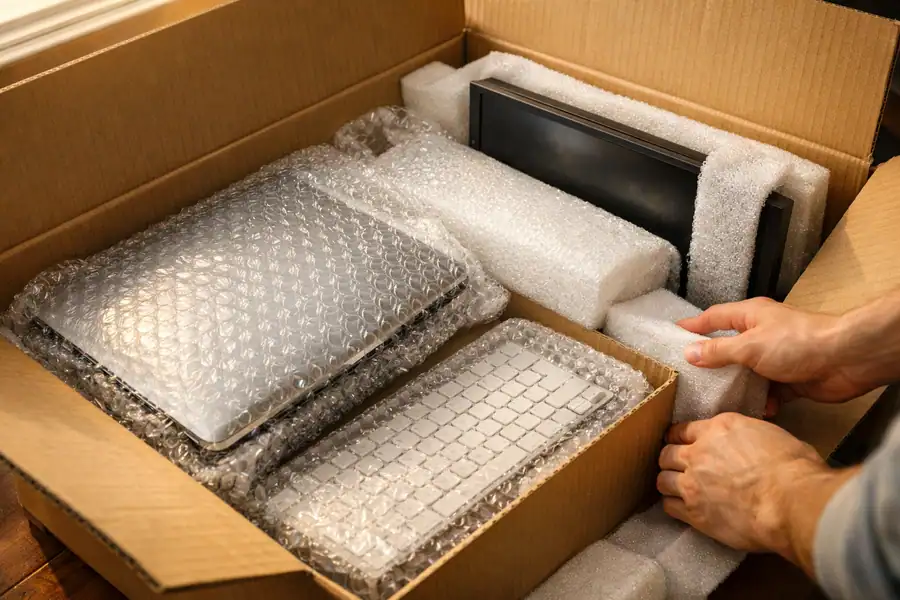
Using Appropriate Packing Materials
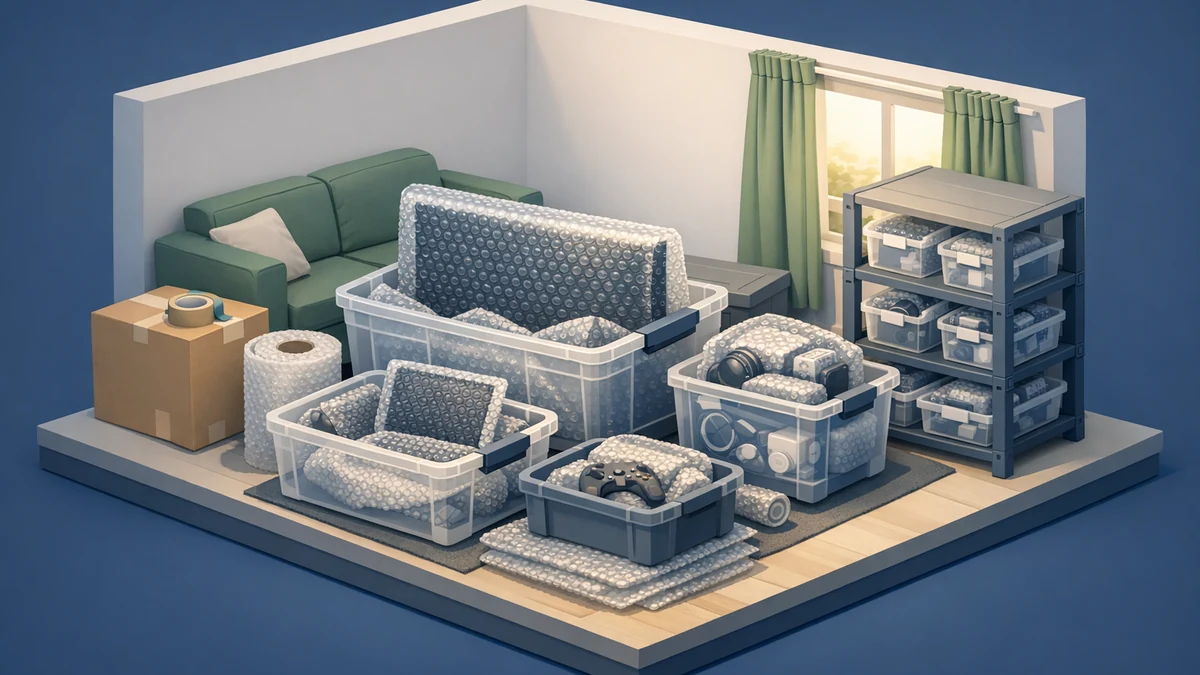
Use original boxes and packing materials if available. Bubble wrap, foam, and anti-static bags provide additional protection, cushioning devices and preventing static damage.
For fragile items like monitors and televisions, use double boxing techniques. Place the item in one box with padding, then place that box inside a slightly larger one with additional cushioning. This method offers extra protection against impact.
Labeling and Organization
Label each item clearly for easy retrieval. Group similar items and create an inventory list to quickly locate devices when needed.
Include detailed descriptions in your inventory list, such as device model numbers and any accessories stored with them. This level of detail aids in insurance claims if items are damaged or lost, providing a clear record of stored goods.
Monitoring and Maintaining Stored Electronics
Regularly inspect your stored electronics to ensure they remain in good condition. Check for signs of moisture, pests, or physical damage to address issues before they escalate.
Implement a routine inspection schedule, perhaps monthly, to catch any issues early. Use a checklist to systematically examine each device, ensuring no signs of corrosion or pest infestation are overlooked. Early detection can prevent minor issues from becoming costly repairs.
Common Mistakes to Avoid
- Storing in non-climate-controlled areas can lead to damage from temperature fluctuations.
- Neglecting to back up data risks losing important information.
- Using poor-quality packing materials may fail to protect electronics adequately.
- Ignoring regular inspections can result in undetected damage or loss.
- Failing to disconnect batteries from devices, which can lead to leakage and corrosion over time.
Next Steps After Renovation
Once renovations are complete, carefully reintegrate your electronics. Ensure the area is clean and dust-free before setting up devices. Check all devices for functionality and restore any backed-up data if necessary.
Gradually power on devices to avoid overwhelming your electrical circuits. This step is especially important in older homes where circuit capacity may be limited. Monitor each device for a few minutes to ensure it operates correctly before moving on to the next.
Frequently Asked Questions
How long can electronics be safely stored?
Electronics can be safely stored for several months if environmental conditions are controlled. Regular checks are advisable to maintain their condition.
Can I store electronics in a non-climate-controlled area?
Storing electronics in non-climate-controlled areas is not recommended due to potential damage from temperature and humidity fluctuations.
What happens if electronics are not stored properly?
Improper storage can lead to physical damage, data loss, and reduced lifespan of electronics.
Is it necessary to back up data before storing electronics?
Yes, backing up data is critical to protect information in case of device failure or damage during storage.
What are the best packing materials for electronics?
Use original packaging if possible, or opt for bubble wrap, foam, and anti-static bags to protect devices.
Can I store electronics in a garage?
Storing electronics in a garage is generally not advisable due to varying environmental conditions.
How often should I check on stored electronics?
Check stored electronics every few weeks to ensure they remain in good condition and address any issues promptly.
What are the signs of damage in stored electronics?
Signs of damage include corrosion, moisture buildup, and physical deformations. Regular inspections can help detect these early.
Can I use regular boxes for storing electronics?
Regular boxes may not provide adequate protection. Use boxes specifically designed for electronics or use appropriate padding inside regular boxes.
Is professional storage a better option for electronics?
Professional storage can offer climate-controlled environments and added security, making it a viable option for high-value electronics.
What are the costs involved in storing electronics safely?
Costs can vary based on storage location and duration. Professional storage may incur higher fees but offers better protection.
How do I safely reconnect electronics after storage?
After storage, clean devices and check for any damage before reconnecting. Ensure compatibility with current setups and restore data backups as needed.
This article is for informational purposes only. Service availability, pricing, timelines, and features may vary by location and operational requirements. Please contact XtendedSpace for the latest information and customized quotations.