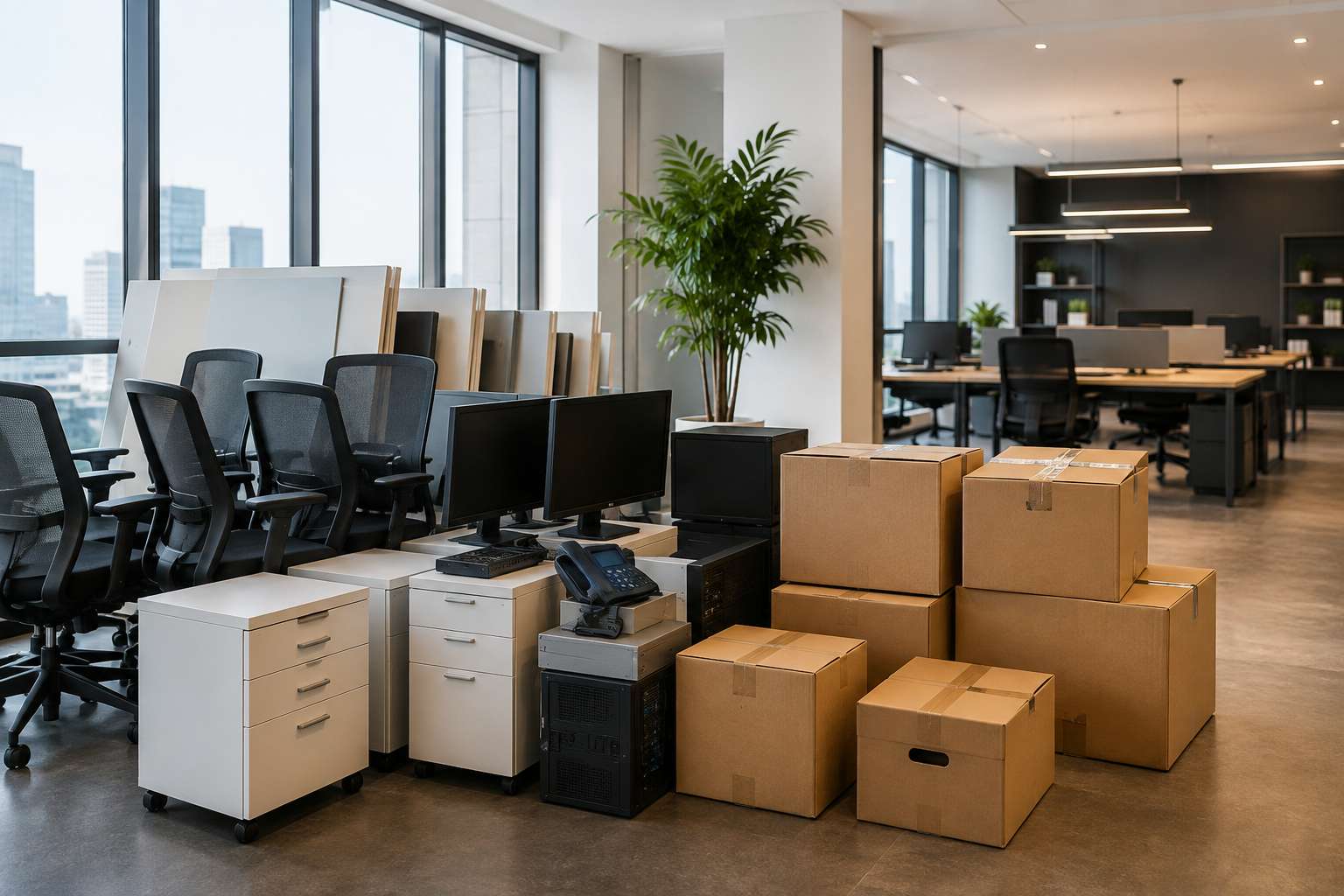

- Why Businesses Are Downsizing Their Offices?
- The “Keep, Store, Sell, Dispose” Strategy
- What Office Furniture Can Be Stored?
- How to Prepare Office Furniture for Long-Term Storage
- What About Computers, Monitors and IT Hardware?
- What Should You Do Before Storing Computers?
- Why Hybrid Work Makes Storage More Complicated
- Don't Turn the Smaller Office Into a Storage Room
- Office Furniture Storage Can Be a Better Alternative
- How Much Does Office Storage Cost?
- A Simple Example
- What Should Businesses Check Before Choosing Storage?
- Why Inventory Tracking Matters?
- Office Storage During Relocation
- What About Employees' Personal Items?
- How Xtended Space Can Help With Office Downsizing
- The Smarter Hybrid Office Strategy
- Final Verdict: Downsize the Office, Not Your Options
- Give Your Office More Room to Work
- Frequently Asked Questions
- Final Thought

Remember when every employee needed a permanent desk?
A chair.
A monitor.
A desktop computer.
A drawer.
A meeting room.
A cabin.
And, of course, enough office space for everyone to sit there from Monday to Friday.
Then hybrid work happened.
Suddenly, half the team is working from home on Tuesdays.
The conference room is occupied twice a week.
Rows of desks are sitting empty.
And the company is looking at its office lease thinking:
“Do we really need all this space?”
For many businesses, the answer is no.
But downsizing an office creates another problem.
What happens to all the furniture and hardware you already own?
You may not want to sell perfectly usable desks.
You may not want to dispose of monitors that could be needed when hiring resumes.
You may not want to throw away chairs, storage cabinets or meeting-room equipment.
And you certainly don’t want your new, smaller office turning into a warehouse.
This is where office furniture storage can become a practical solution.
Why Businesses Are Downsizing Their Offices?
The shift isn’t simply about cutting costs.
Work patterns have changed.
Companies are increasingly experimenting with hybrid working, flexible seating and smaller office footprints.
Instead of providing a dedicated workstation for every employee, businesses may use:
- Hot desks
- Shared workstations
- Meeting rooms
- Collaboration spaces
- Flexible seating
- Smaller satellite offices
This can reduce the amount of office space required.
But there’s an important distinction:
Reducing office space doesn’t automatically mean reducing physical assets.
You may have 100 desks but only need 60 today.
You may have 100 monitors but only need 50.
You may have meeting-room furniture that you don’t currently need.
Selling everything immediately could be a mistake if your workforce expands again.
The “Keep, Store, Sell, Dispose” Strategy
Before moving anything into storage, conduct an office inventory.
Divide everything into four categories.
KEEP
Items required in your current office.
STORE
Items that are useful but currently unnecessary.
SELL
Assets you don’t realistically expect to use again.
DISPOSE
Broken, obsolete or unusable equipment.
This simple exercise prevents a common mistake:
paying to store things that aren’t worth storing.
What Office Furniture Can Be Stored?
Most professional business storage providers can accommodate common office furniture, subject to their policies and available facilities.
This can include:
- Office desks
- Executive desks
- Workstations
- Office chairs
- Conference tables
- Filing cabinets
- Storage cupboards
- Reception furniture
- Sofas
- Shelving
- Meeting-room furniture
The trick is preparing the furniture properly.
Don’t simply move everything into a warehouse and forget about it.
How to Prepare Office Furniture for Long-Term Storage
Desks and Workstations
Disassemble large furniture where practical.
Keep screws, brackets and fittings in labelled bags.
Attach the hardware to the relevant furniture where possible.
Take photographs before disassembly.
That one photograph can save hours during reassembly.
Office Chairs
Clean them before storage.
Don’t store chairs while they’re wet or damp.
Protect fabric and leather surfaces appropriately.
Filing Cabinets
Remove loose contents.
Label each cabinet.
If they contain confidential documents, store those documents separately with appropriate access controls.
Conference Tables
Protect edges and surfaces from scratches.
Large tables may need professional handling during pickup and delivery.
What About Computers, Monitors and IT Hardware?
This is where storage becomes more complicated.
A desk is relatively simple.
A computer contains data.
Before storing computers or servers, your IT team should consider:
Data security.
Device encryption.
Backup.
Account access.
Power requirements.
Environmental conditions.
Don’t assume that putting a server into a normal storage unit is automatically safe.
Some hardware may require climate-controlled or specialised environments depending on the equipment and manufacturer’s storage requirements.
For ordinary monitors, laptops and peripheral devices, businesses should follow manufacturer recommendations for storage temperature, humidity and packaging.
What Should You Do Before Storing Computers?
Create a hardware inventory.
For every device, record:
- Asset ID
- Serial number
- Model
- Condition
- Assigned employee
- Storage box
- Storage location
Then back up important data.
For devices that won’t be used, your IT team should determine whether they should be powered down, securely wiped or retained with data intact according to the company’s IT and compliance policies.
Never treat IT equipment like ordinary furniture.
A monitor is a physical asset.
A laptop can be a security risk.
Why Hybrid Work Makes Storage More Complicated
Hybrid work creates an interesting inventory problem.
Your office might need:
60 workstations today.
But what happens if you hire 30 employees next year?
Buying everything again can be expensive.
That’s why some companies choose to store surplus furniture instead of disposing of it immediately.
It creates an inventory buffer.
If the business expands, the furniture comes back into the office.
If the business continues downsizing, the company can sell or dispose of the surplus later.
This gives management more flexibility.
Don't Turn the Smaller Office Into a Storage Room
This is one of the biggest mistakes businesses make after downsizing.
They move from a 5,000 sq. ft. office to a 2,500 sq. ft. office.
Then they bring all 5,000 sq. ft. worth of furniture with them.
The result?
The office technically has fewer square feet.
But it still looks crowded.
Meeting rooms become storage rooms.
Corners become furniture dumps.
Employees walk around stacked chairs.
And the company hasn’t actually solved the problem.
Downsizing works only when excess physical assets are managed separately.
Office Furniture Storage Can Be a Better Alternative
Instead of selling everything immediately, companies can move surplus assets into external storage.
This can include:
Furniture: Desks, chairs, tables and cabinets.
IT equipment: Monitors, peripherals and selected hardware.
Marketing assets: Exhibition stands, banners and displays.
Event equipment: Furniture and equipment used for conferences and events.
Documents: Archived business records, subject to applicable retention and security requirements.
The benefit is simple:
Your office becomes smaller without forcing you to permanently dispose of everything.
How Much Does Office Storage Cost?
There’s no universal price.
Storage costs can depend on:
- Volume
- Number of furniture pieces
- Required storage area
- Duration
- Pickup distance
- Packing
- Handling
- Insurance
- Retrieval requirements
For businesses, the important number isn’t just monthly rent.
Calculate:
Storage + Pickup + Packing + Handling + Insurance + Retrieval
Then compare that with the cost of keeping a larger office.
That comparison can produce a very different answer.
A Simple Example
Imagine a company has 40 surplus desks and 40 chairs after moving to a hybrid model.
The company has two choices.
Option A: Keep Everything
Move into a larger office.
Pay for additional commercial space every month.
Option B: Store the Surplus
Move the furniture into professional storage.
Keep the smaller office.
Retrieve the furniture if hiring increases.
The second option may provide considerably more flexibility, particularly if the company isn’t sure what its workforce will look like in 12–24 months.
The exact economics depend on local office rents and storage costs, but the principle is straightforward:
Don’t pay premium office rent simply to store assets that employees aren’t using.
What Should Businesses Check Before Choosing Storage?
Before signing a storage contract, ask:
1. Is the facility secure?
Look for CCTV, restricted access and appropriate security procedures.
2. Is inventory tracked?
A digital or barcode inventory system can make retrieval much easier.
3. Is pickup available?
Professional pickup can eliminate the need to arrange separate movers.
4. Is insurance available?
Understand coverage limits and exclusions.
5. How are electronics stored?
Ask about environmental conditions and whether the facility is suitable for your specific equipment.
6. What happens when you need something back?
Understand retrieval timelines and delivery charges.
7. Is there a minimum commitment?
Some providers require minimum storage periods.
8. Can storage capacity increase?
This matters if your company grows again.
Why Inventory Tracking Matters?
Imagine storing:
- 70 chairs
- 50 desks
- 45 monitors
- 10 cabinets
- 6 meeting tables
Six months later, someone asks:
“Do we still have 20 Dell monitors?”
Without proper inventory tracking, someone has to physically check the warehouse.
A professional system can make this much easier.
Xtended Space states that its warehouse storage service uses inventory management and barcode-based tracking for stored items.
For businesses with hundreds of assets, that visibility can be extremely useful.
Office Storage During Relocation
Storage is also valuable during office relocation.
Suppose your company is moving from:
Office A → Office B
But the new office isn’t ready yet.
You could move everything into temporary storage.
Then, once the new office is ready, deliver the furniture directly there.
This avoids:
Old Office → Temporary Office → New Office
Instead:
Old Office → Storage → New Office
Fewer unnecessary moves can mean less handling and lower risk of damage.
What About Employees' Personal Items?
Hybrid work often creates another category:
Employee belongings.
People may have:
- Personal drawers
- Desk accessories
- Books
- Plants
- Personal monitors
- Office equipment
Before downsizing, create a clear policy.
Employees should know:
- What they’re allowed to take home
- What will be stored
- What will be disposed of
- How personal belongings are identified
Don’t put unidentified boxes into storage.
Six months later, nobody will know who owns them.
How Xtended Space Can Help With Office Downsizing
For businesses moving toward hybrid work or reducing their office footprint, Xtended Space provides warehouse and furniture storage solutions designed to help companies store excess assets outside their primary workplace.
Its warehouse-storage service offers flexible storage options, while its furniture-storage service supports items such as desks, sofas, beds, mattresses and other furniture, along with pickup and delivery options.
Xtended Space also highlights inventory tracking and security features such as CCTV and restricted access for stored furniture.
For a company moving to a smaller hybrid office, that can mean one important thing:
You don’t have to make a permanent decision about every asset today.
Store what you may need tomorrow.
The Smarter Hybrid Office Strategy
A good hybrid-work storage strategy could look like this:
Keep
Everything employees actively use.
Store
Surplus desks, chairs, monitors and equipment that may be needed later.
Sell
Assets unlikely to be used again.
Dispose
Broken or obsolete items.
Digitise
Documents and processes wherever legally and operationally appropriate.
This creates a leaner office without forcing the business into irreversible decisions.
Final Verdict: Downsize the Office, Not Your Options
Hybrid work has changed what an office needs to look like.
You may not need a desk for every employee.
You may not need five meeting rooms.
You may not need thousands of square feet.
But that doesn’t mean you should immediately sell every physical asset you own.
Sometimes, storage gives you optionality.
You can reduce your office footprint today while keeping the furniture and hardware you may need tomorrow.
And that’s especially valuable when nobody knows exactly what the workplace will look like two years from now.
Give Your Office More Room to Work
If your office is becoming crowded with surplus furniture, IT hardware or business equipment, external storage can help separate working space from storage space.
Xtended Space offers business warehouse and furniture-storage solutions, including pickup and delivery, inventory management and security features.
Downsizing your office?
Don’t throw away tomorrow’s assets just to create space today.
👉 Talk to Xtended Space about storing your surplus office furniture and equipment.
Frequently Asked Questions
1. What is office furniture storage?
Office furniture storage is the practice of storing surplus desks, chairs, tables, cabinets and other workplace furniture in a professional storage facility instead of keeping them inside the office.
2. Can companies store office furniture during hybrid work?
Yes. Storage can be useful when companies reduce their office footprint but want to retain surplus furniture for future hiring or expansion.
3. Can computers and monitors be stored?
Yes, subject to the storage provider’s policies. Businesses should also follow manufacturer recommendations and their own IT-security procedures for storing electronic equipment.
4. Should I sell surplus office furniture or store it?
If you expect to need it again, storage may be worth considering. If the furniture is obsolete or unlikely to be used again, selling or recycling may make more financial sense.
5. How much does office furniture storage cost?
It depends on the volume, storage duration, transportation, packing, insurance and other services. Request a quote based on your actual inventory.
6. Can office storage help during relocation?
Yes. Businesses can use temporary storage between leaving an old office and moving into a new one.
7. How should IT hardware be prepared for storage?
Create an asset inventory, back up required data, follow IT security procedures and manufacturer storage recommendations, and package equipment appropriately.
8. Is business storage secure?
Security varies between providers. Look for CCTV, restricted access, inventory tracking, fire safety and insurance options.
9. Can I retrieve furniture from storage later?
Many storage providers offer retrieval and delivery services. Confirm the process, notice period and applicable charges before booking.
10. Is external storage better than renting a larger office?
If additional office space is primarily needed to store surplus furniture or equipment, external storage can be a more flexible option. Businesses should compare the complete costs before deciding.
Final Thought
The future of work may be hybrid.
Your office may become smaller.
Your workforce may become more flexible.
But your furniture doesn’t have to become a sunk cost.
Store what you may need. Sell what you don’t. And keep your office focused on people—not piles of unused equipment.
Xtended Space — More room for your business to work, grow and adapt.